




Revgen.tool
redesigning the admin settings for revgen tool
Product Design · Systems Design · permission setting
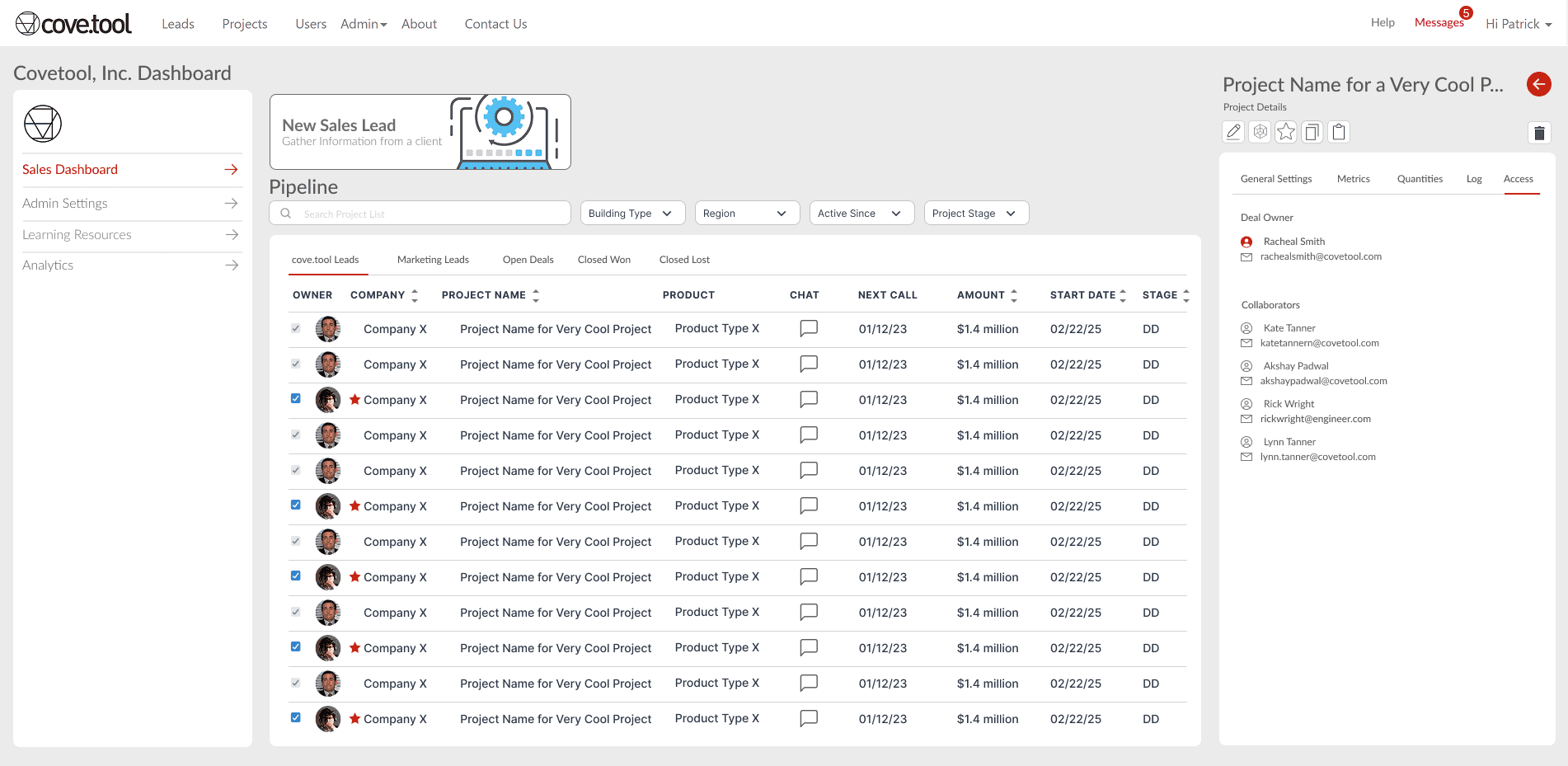







Revgen.tool Admin Settings
Targeted re-design of the admin & permission settings for revenue generation tool.
In 2023, we launched a targeted redesign of the admin and permission settings for Revgen.tool within Cove.tool, a revenue generation and analysis application originally built for small businesses.

Team & my role
As the sole product designer, I worked on executing the details of this project along with PM’s and Director of Product, this was my first individual project at Cove.tool.
Defined the MVP scope and technical constraints in direct collaboration with PMs and Engineering.
Led research and technical handoff through field shadowing, focus groups, and defensive design specs to ensure data integrity.
Architected cross-platform data frameworks and system design to integrate in Revit.

Cove.tool Team
Designer : Purti Hardikar
Back-End Dev : Parva Doshi
Yashwant Munukoti: Arch. Researcher
Patricia Causey : Product Manager
Timeline & Status
August- December 2023
Concept Design
Status: Sunset
PROBLEM STATEMENT
The Problem, the quick TL;DR
Admin Settings was originally built for a single super admin managing a handful of users.
As Cove.tool scaled to hundreds of users across sales, engineering, and leadership, that flat permission model broke down — access requests piled up, and no one had a clear view of who could see or change what.
This made us think,
How might we give every role — from super admin to sales rep — exactly the access they need, without turning permission management into its own full-time job?

Process
Analyzing the current experience
We kicked off the process with a comprehensive experience review of the
current experience with the product triad.
To tackle this problem, we utilized the S.T.A.R approach.
This involved identifying the context, user groups, tasks, and challenges involved.
We then mapped out the actions in the user journey and user stories to gain a better
understanding of the problem. By doing this, we were able to generate design ideas to
address the issues at hand.
Three layers of our design:
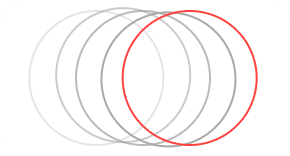
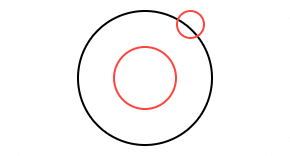
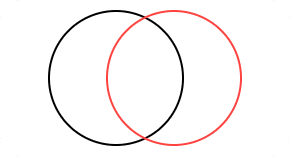
Functional
Coherent
Flexible
The design should be functional, centered on new user demands and innovative elements to ensure
user-friendliness.
The design should maintain uniformity across different tools and various user groups, ensuring a seamless user experience throughout.
The layout ought to be adaptable regarding assigning teams and deleting or including members.
Or keep scrolling to know the design process
BREAKDOWN OF THE PROBLEMS IN THE INTERFACE
📈 Limited Scalability and usability Issues
The current experience didn’t provide assistance with scalability since the number of users significantly increased.
😒 Complicated workflows & user experiences across profiles
Inconsistent experiences with our admin settings are affecting user productivity and satisfaction across different roles and profiles.
⛓ Complexity hindering flexibility
Complex admin workflows and system intricacy make adapting to user requirements and customizing access controls difficult.
🖥 Dated user interface
The current user interface isn’t designed to facilitate necessary changes for the type of functions and decisions it needs to make.
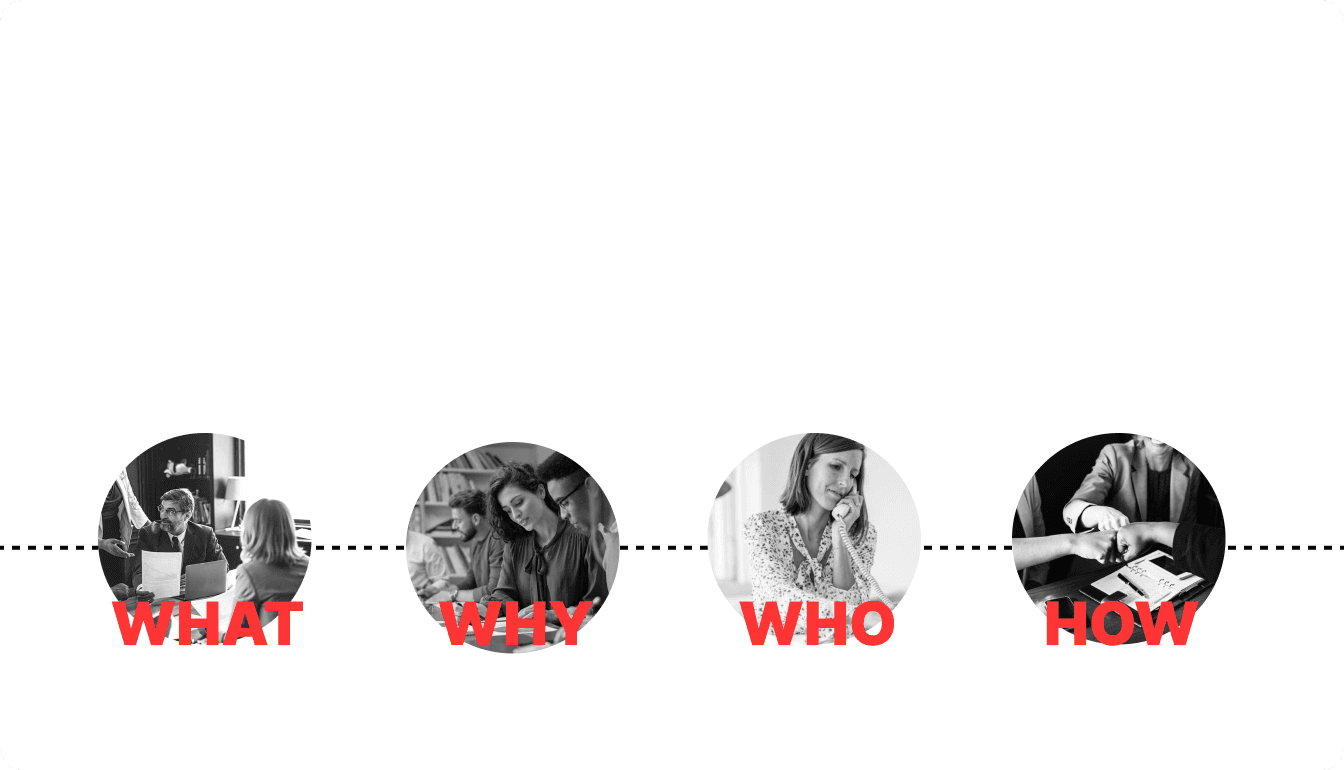
The permission system (what) caters to a diverse user base, providing tailored access and restrictions (why) to super admins, business owners, administrators, designers, technical and non-technical staff, and marketing and sales representatives (who).
This system streamlines operations and accommodates overlapping functionalities across all departments (how).
Reference credits: Oshee Sen
PROCESS
Identifying & prioritising user jobs.
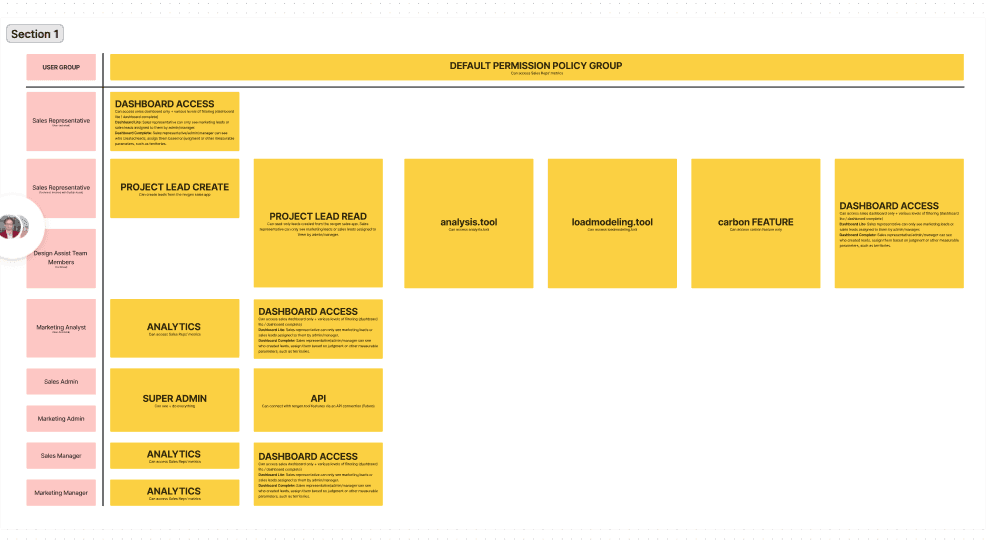
A comprehensive list of user jobs across personas were framed and
stack ranked. This exercise laid the foundation for our MVP.
Incorporating our ideas, into our design sessions turned out to be highly effective.
Our engineers and project managers contributed thorough product insights regarding the different access and authorization policies a business would need and the product’s backend framework.
This enabled us to obtain varied and all-encompassing viewpoints while devising a strategy for our MVP.

Reference credits: Oshee Sen


USER GROUPS
Identifying User Groups
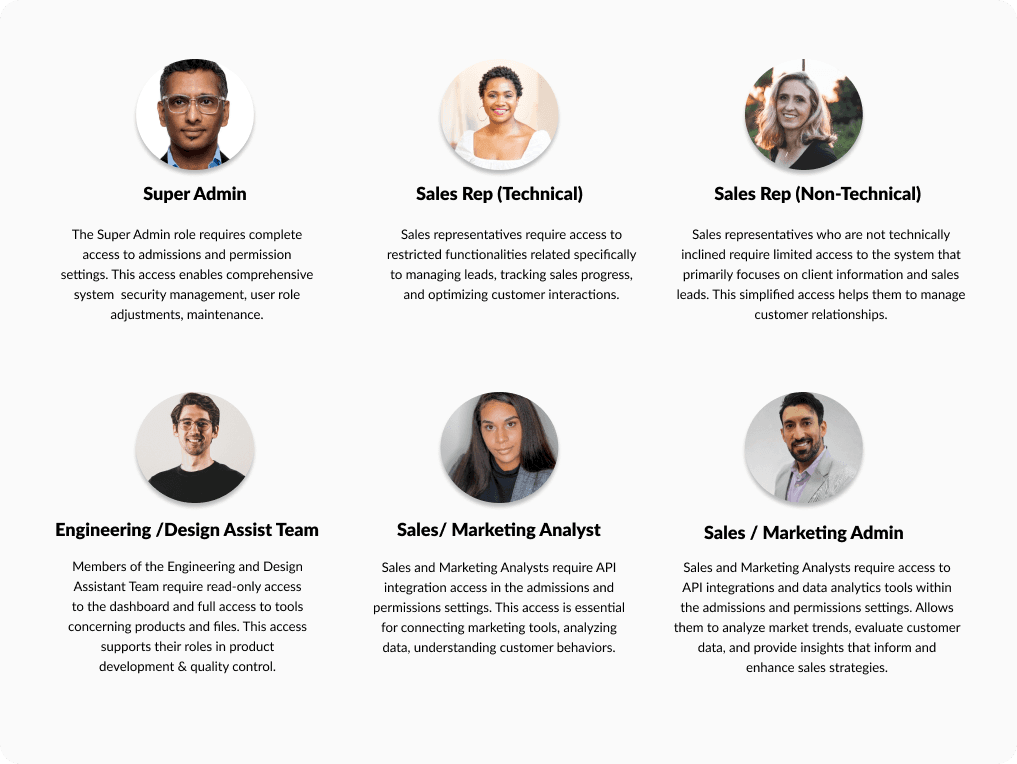
The admin settings are used by different personas across the company. In addition to the super admin, sales reps, designers, and assistants also have access.
Hand Off
Delivery - MVP: Admin Settings Dashboard
Functional grouping for better unit management
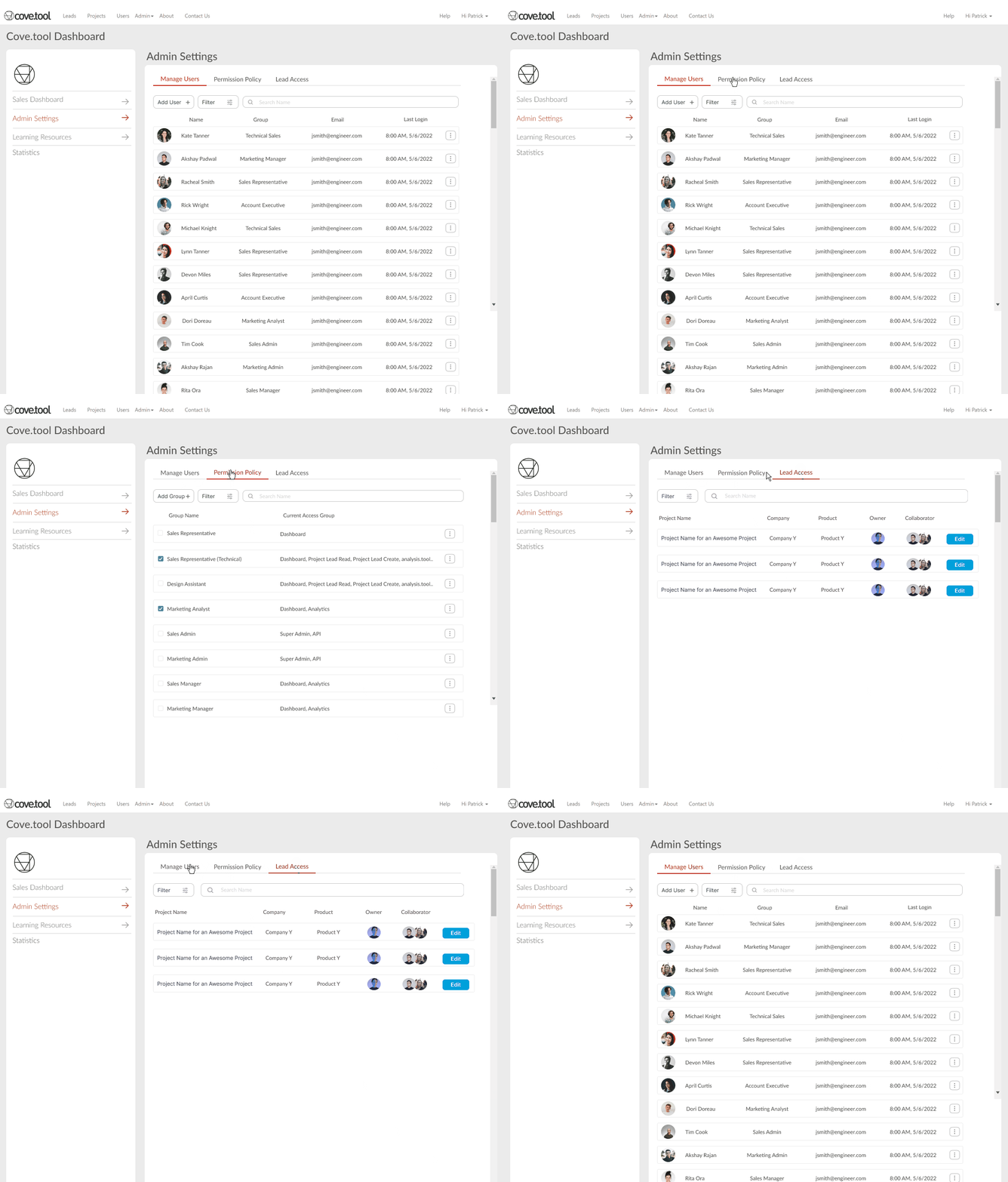
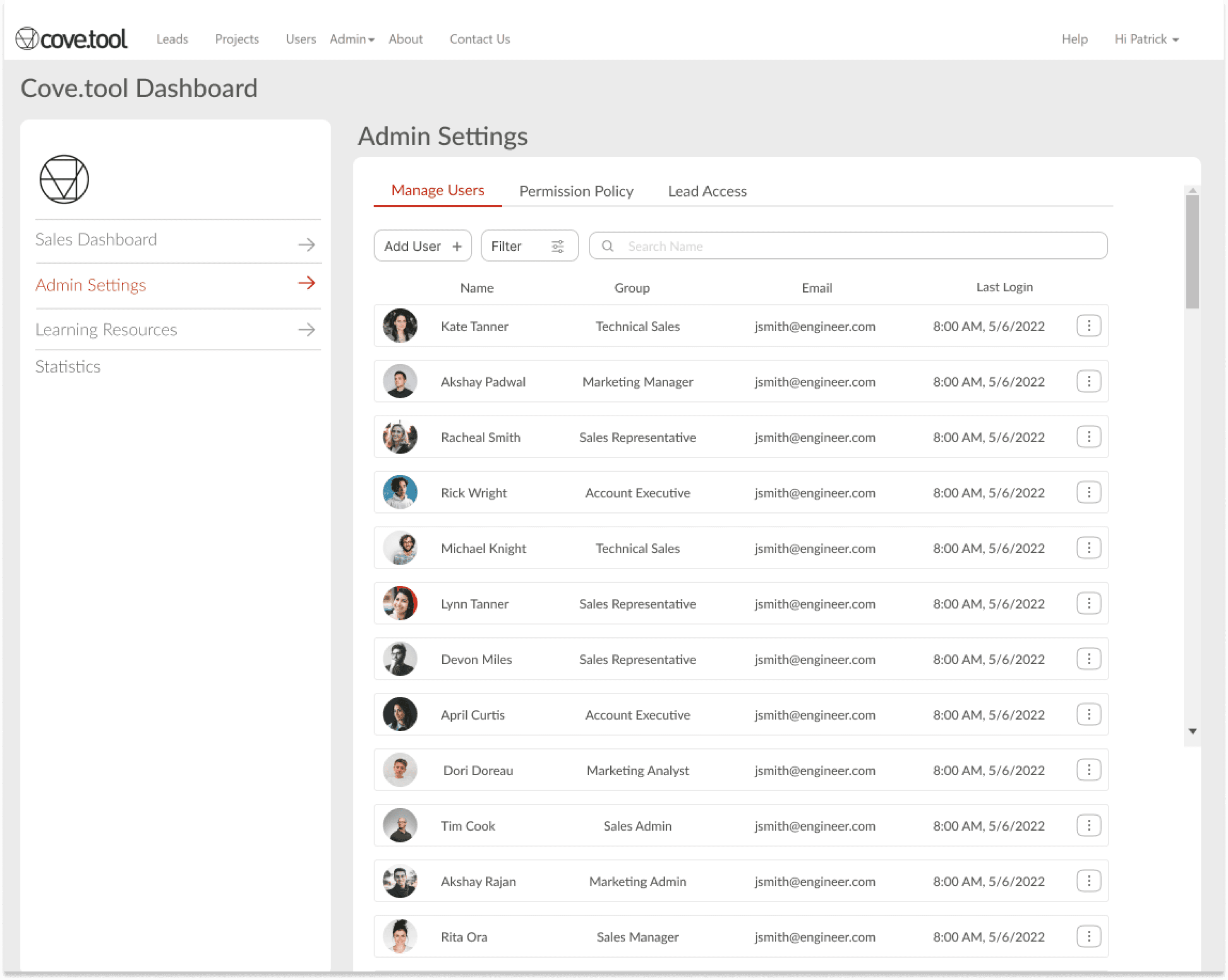
This section discusses the Admin Settings access dashboard, which is only visible to the super admin. The super admin can change and edit permissions and policies from this dashboard.
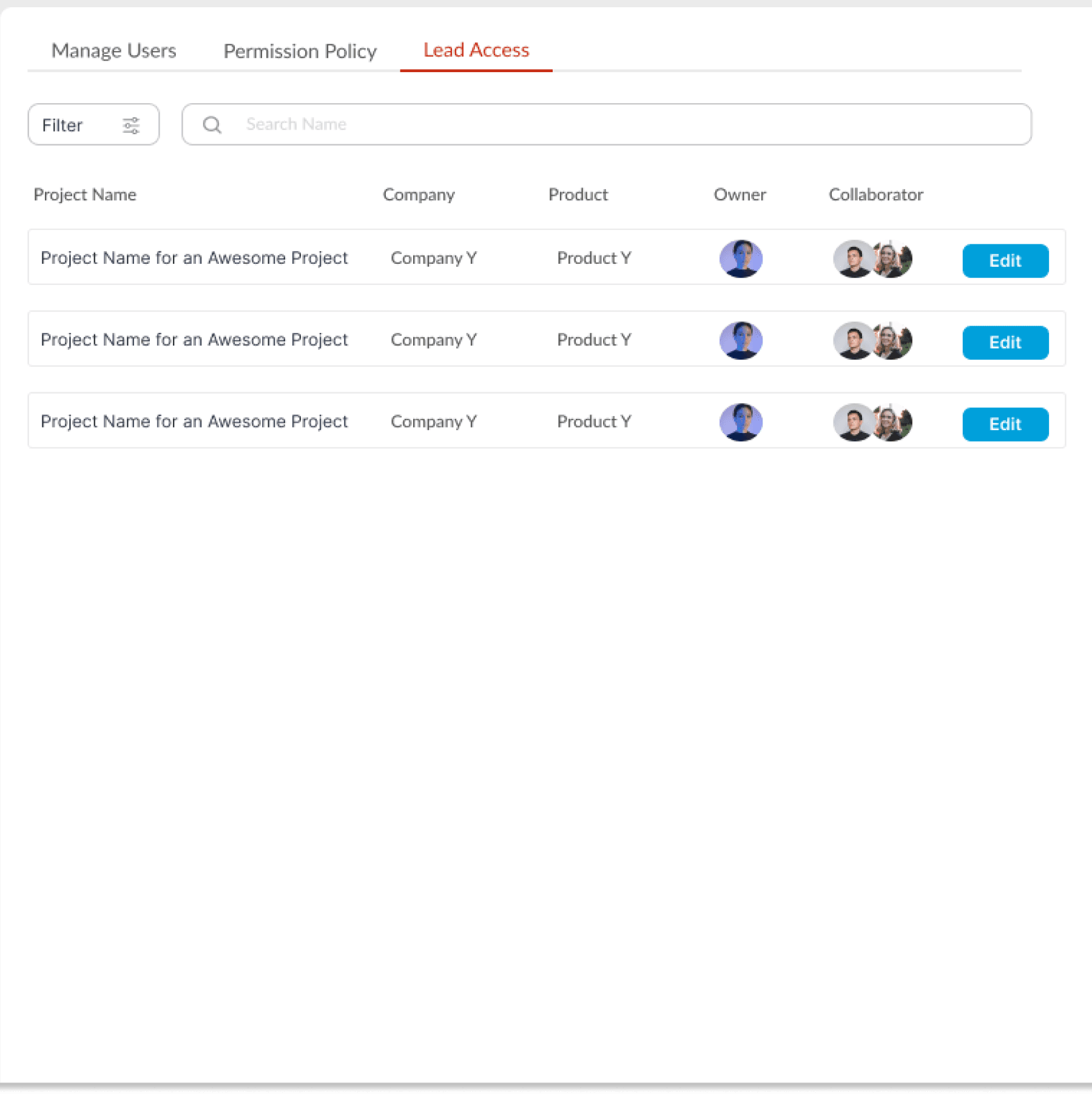
The dashboard comprises multiple functions, such as managing the user database, changing permission policies, and accessing leads to share or transfer them.
ADMIN SETTINGS DASHBOARD
The super admin has three major tasks.
1. To manage the users (add/delete/change)
2. To view permission settings
3. To give share or change lead access
Versatile Control Panel
Distinct sections to allow for seamless one-directional navigation
Help in performing daily tasks.
ADMIN SETTINGS DASHBOARD
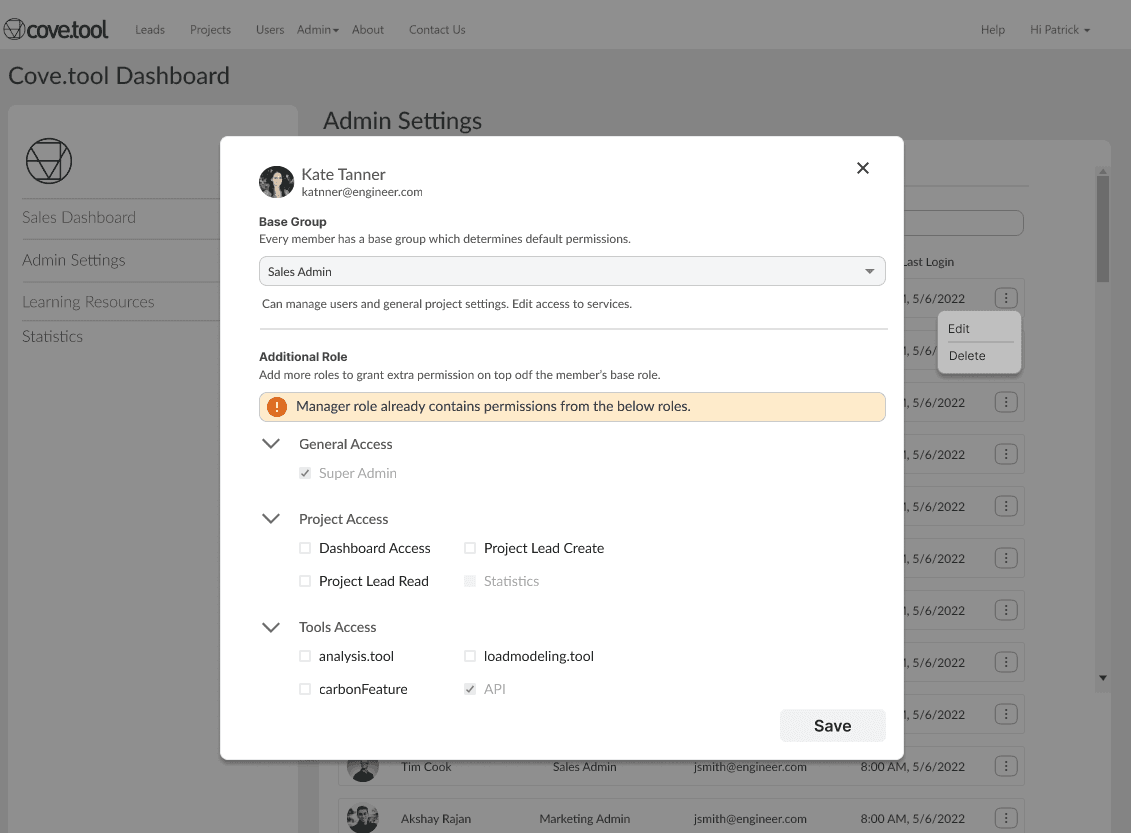
The super admin wants to oversee the triage, roles, and permissions daily & needs to browse through vast volumes of users and their roles. Discovering the required information can take considerable effort.
Developed staff utilities and filtering options based on group & roles
Capability to efficiently modify/remove users
Tailer the specific service/group for viewing
ADMIN SETTINGS DASHBOARD
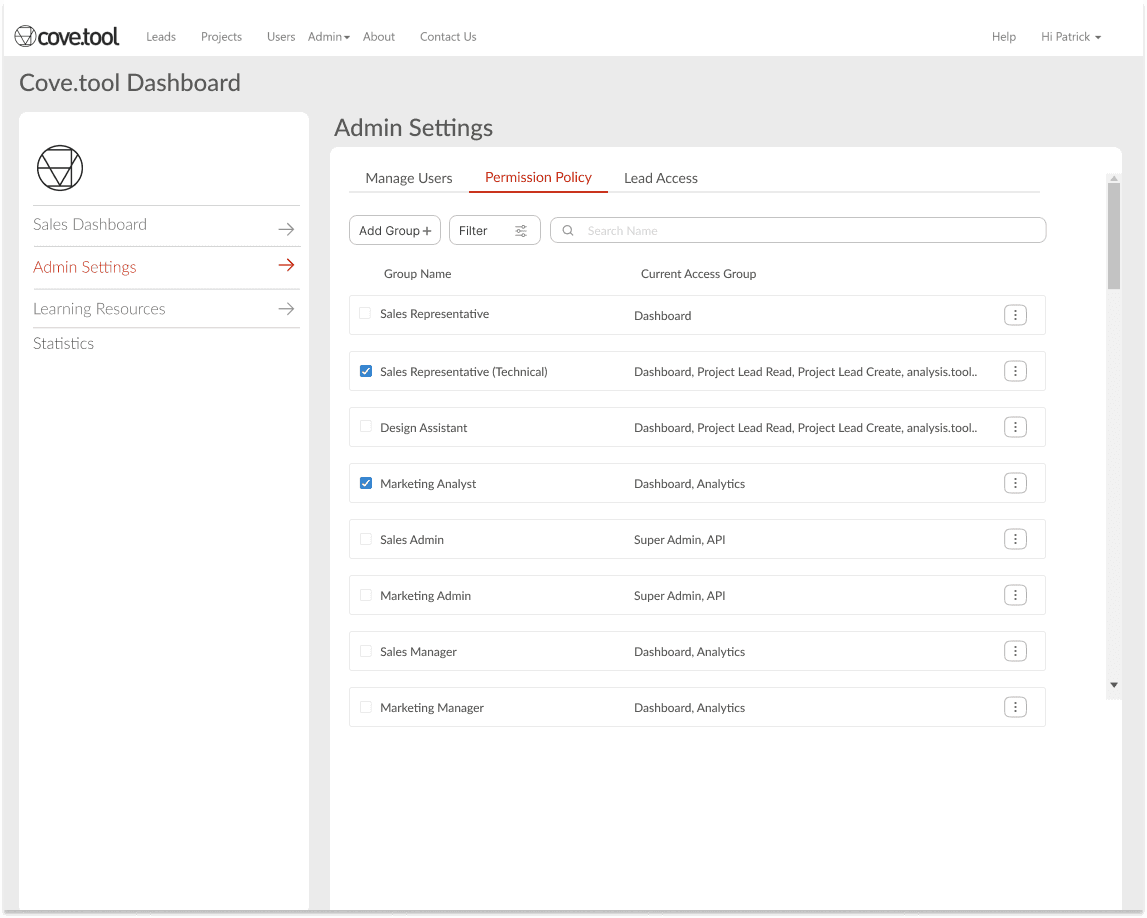
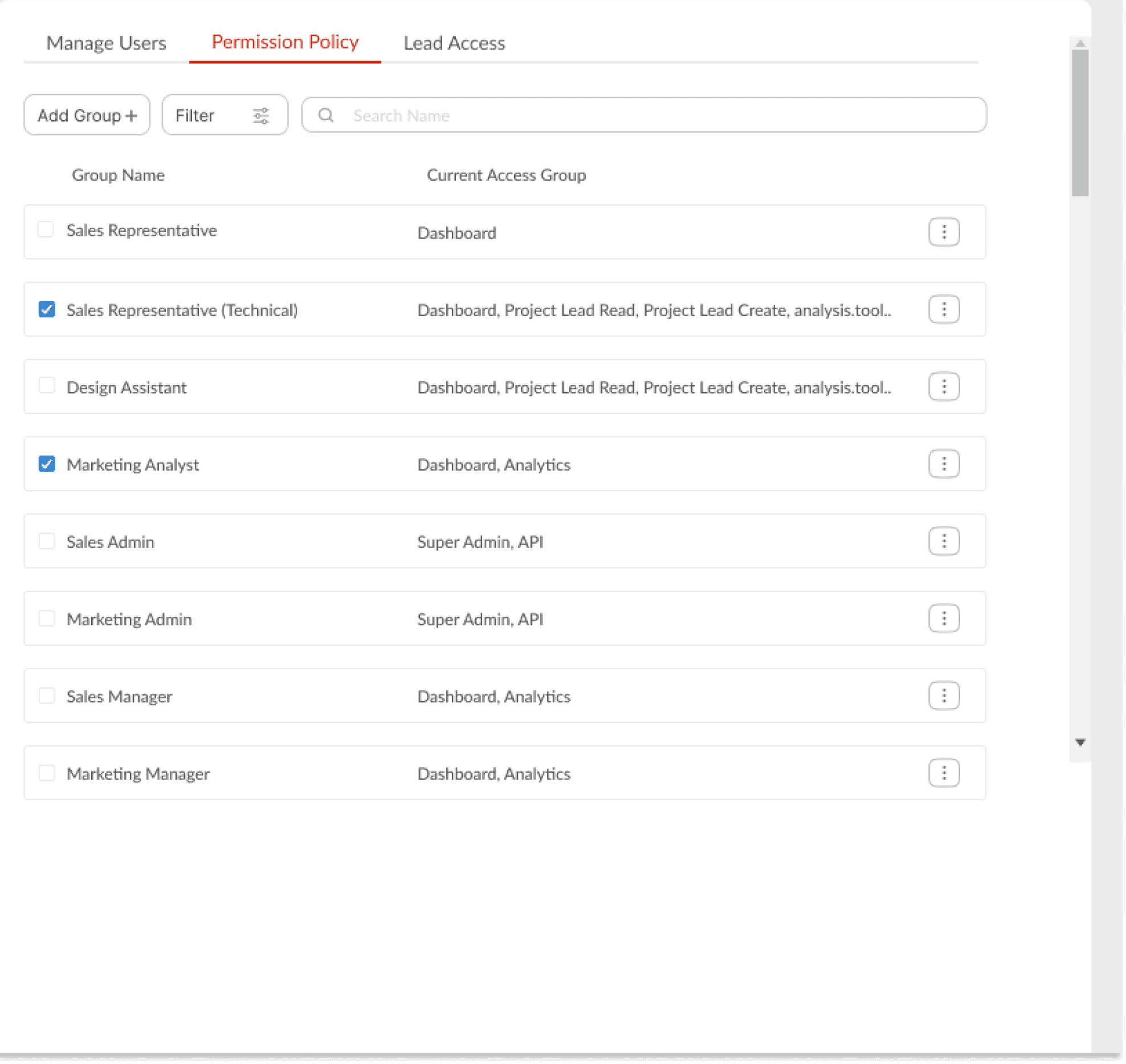
Permission Policy
The super admin has three major tasks.
1. To manage the users (add/delete/change)
2. To view permission settings
3. To give share or change lead access
Add Groups easily and create new groups
Tailer the specific service/group for viewing
Helps in quick access to set up policy
Hand Off
Delivery - MVP: Sales Dashboard
Share/ Transfer Leads
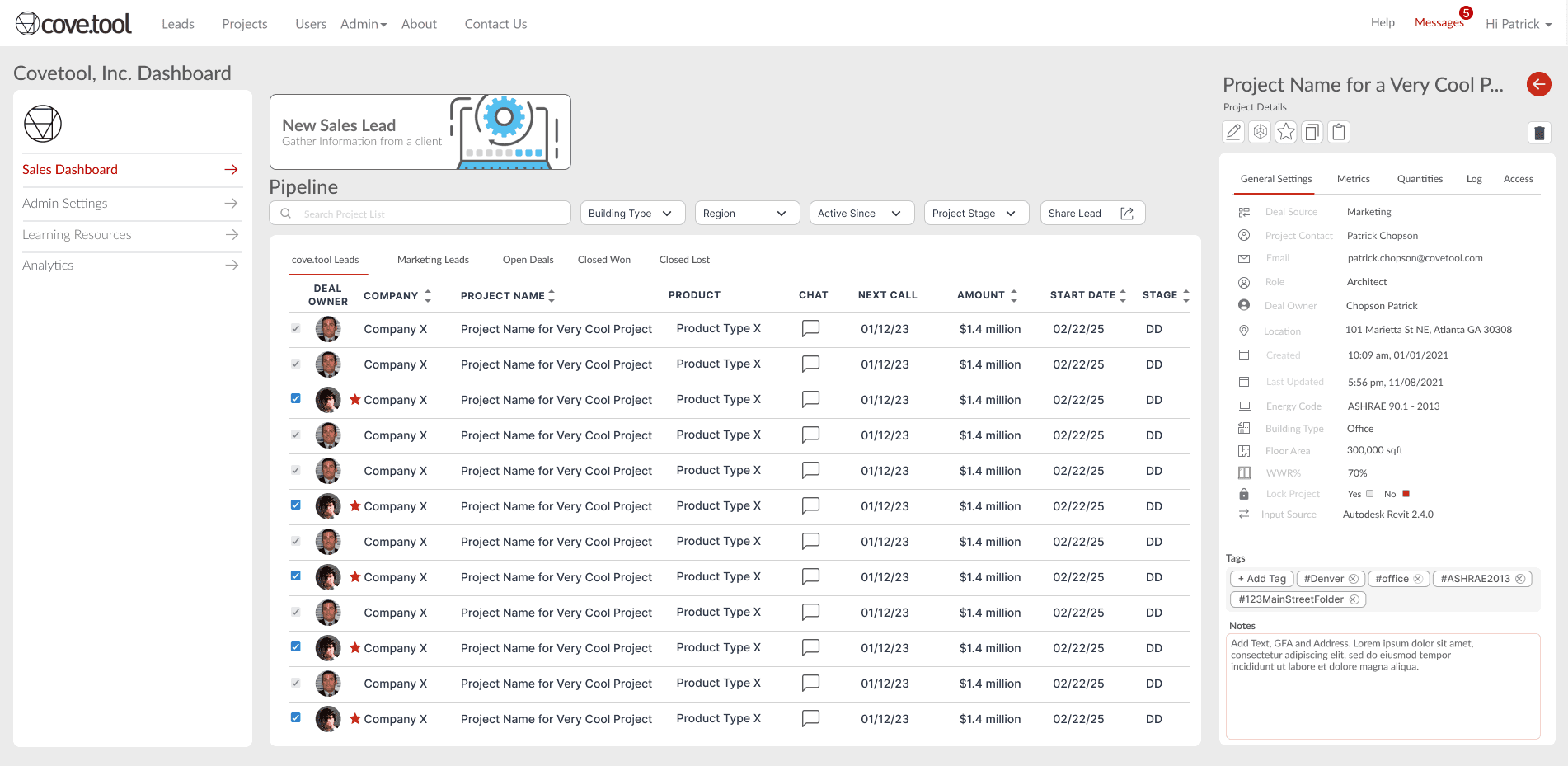
This section provides a thorough explanation of the Sales Dashboard, covering advanced features such as lead sharing, editing, and transfer. This can be accessed by multiple people in the organization. The user workflow is streamlined and intuitive, following these steps:
DESIGN GOAL: FUNCTIONAL
Transfer &
Share leads
The Dashboard allows users to transfer and share leads, keeping in mind that employees may need to reallocate leads at any time or add collaborators to the lead.
DESIGN GOAL: FUNCTIONAL | Super Admin
Details Panel
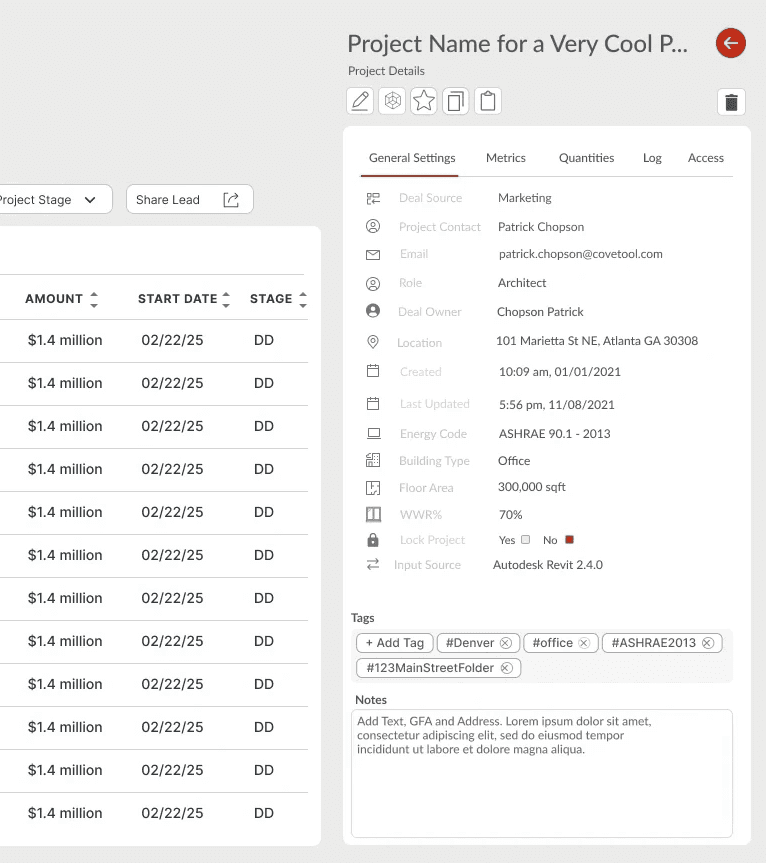
Get Lead information and project details
USER SCENARIO
An employee seeks insights on a specific lead or project. They would desire a panel carrying relevant data for diverse aspects of the project.
SOLUTION
Designed a collapsable information panel
General Settings is default tab + additional seeings
View of the super-admin dashboard with editing access
DESIGN GOAL: COHERENT | All Users
A consistent view of
staff, services and
customer profiles
We designed modular, triggerable profile cards for staff, services, and employees across the entire application.
These components deliver live snapshots of roles, contact details, and engagement metrics while providing direct navigation pathways between connected entities to make complex relationships clear.
IMPACT & TAKEAWAYS
Project Impacts & Takeaways
Led my first major project at Cove.tool, gaining deep expertise in platform architecture and AEC industry permission frameworks. Designed and implemented complex role-based access matrices to ensure secure, gated user experiences tailored to different stakeholder needs.
32%
Increase in User Retention
45%
High Conversion Rate
4
Teams Collaborated
12wk
Project Duration
Collaboration & Work
My first project with cross-functional teams — from ideation to production across design, engineering, and product.
Teamwork and clear communication are the hidden infrastructure behind every shipped outcome.
Enhanced User Experience
The redesign contributed to measurable performance improvements, proving that thoughtful feature work drives real business impact.
The redesign became a critical dependency for Revgen.tool’s admin user base — shipped to production 02.2024.